SEO Marketing Tools in 2026: The Ultimate Guide

Keyword Research Tools: Find the right search terms.
Technical SEO Audit Tools: Keep your site healthy and fast.
Backlink Analysis Tools: Build and monitor authority.
Rank Tracking Software: Monitor your position in SERPs.
Free SEO Tools: Essential no-cost tools for starters.
By the end, you’ll know which SEO marketing tools (in 2026 and beyond) fit your needs – powering growth with both positive keywords (target terms) and wisely using “negative keywords” to exclude irrelevant queries.
Table of Contents
ToggleKeyword Research Tools
Effective SEO starts with keyword research. These tools help you find the words and phrases your audience is searching for, uncover search volume and difficulty, and discover related queries. For example, free Google tools like Ads Keyword Planner and Google Trends offer valuable insights on search volume and trends, while paid suites provide deeper data. As one expert notes, “free keyword research tools like Google Trends, Google Ads Keyword Planner, and Semrush’s Keyword Magic Tool provide valuable insights on search volume, keyword difficulty, and related queries”.
Google Ads Keyword Planner (Free) – Google’s tool for keyword volume and competition. You don’t need to spend on ads to access it. It also supports negative keywords: you can mark terms to exclude so your content or ads aren’t shown for irrelevant queries.
Google Trends (Free) – Tracks search popularity over time. Great for spotting rising topics and seasonal spikes.
Semrush Keyword Magic (Paid) – A comprehensive paid tool. Provides massive keyword databases with filters (by geography, intent, etc.) and suggests long-tail variations.
Ahrefs Keywords Explorer (Paid) – Offers global search volume, traffic estimates, and “parent topic” grouping. Ahrefs is widely regarded for its data quality in keyword and link research.
Ubersuggest (Freemium) – Neil Patel’s tool gives keyword ideas, volume, and difficulty. Limited queries for free users, but still useful for basic research.
AnswerThePublic (Free/Paid) – Generates question-based queries related to a term. A quick way to discover the phrases people really use.
Surfer SEO / Frase / Clearscope (Paid) – These “content” tools analyze top-ranking pages and suggest keywords and content optimizations. They bridge research with on-page guidance.
Many of these tools let you curate positive keywords (the terms you want to target) and negative keywords (terms to exclude). In SEO and especially in PPC, negative keywords act as “gatekeepers” that prevent your ads/content from appearing for unrelated searches. For instance, if you sell luxury cars, you might exclude “used” as a negative keyword so you don’t attract bargain hunters. Most keyword planners (like Google’s) allow setting negative keywords to focus your strategy.
Technical SEO Audit Tools
A healthy site is fast, crawlable, and error-free. Technical SEO tools scan your site for issues like broken links, slow pages, duplicate content, missing tags, and more. They’re essential for on-site optimization. For example, Google Search Console (free) provides core reports on indexing, mobile usability, and core web vitals. In fact, Google’s own Search Console “is one of the best SEO tools,” offering unmatched data accuracy on how your site performs in search. (Its only limitation: it shows data for your sites only, not competitors.)

Key technical tools include:
Google Search Console (Free): Monitors site health, indexing, and Google errors. Must-have for diagnosing technical SEO issues.
Google PageSpeed Insights (Free): Checks desktop/mobile speed and Core Web Vitals, giving a score and suggestions (e.g. image optimization, caching).
Screaming Frog SEO Spider (Free/Paid): Crawls your site (up to 500 URLs for free) to find broken links, duplicate titles, redirects, etc. Great for in-depth site audits.
Ahrefs Site Audit (Paid) / SEMrush Site Audit (Paid): Comprehensive crawlers built into these suites, scanning entire websites for technical flaws.
DeepCrawl (Paid): Enterprise-level crawler for large sites.
SEOquake (Free browser plugin): Quick on-page checks like meta tags and densities. It even includes basic SERP analysis.
GTmetrix/Pingdom (Free): Alternate speed-testing tools complementing PageSpeed.
These tools help you “crawl the web to find SEO issues like broken links and duplicate content”. In short, technical SEO tools (like Screaming Frog and DeepCrawl) are vital for fixing behind-the-scenes problems that could slow you down. Fixing these issues improves user experience and rankings.
Backlink Analysis Tools
Backlinks (links from other sites) are a key ranking factor, so analyzing your backlink profile is crucial. Backlink analysis tools show who links to you, the quality of those links, and help you discover opportunities or toxic links. As Neil Patel explains, these tools “provide information on the links pointing to your site … including the number, quality, and relevance of the links” – insights you use to improve your link-building strategy.
Popular backlink tools include:
Ahrefs (Paid): Industry favorite for backlinks. Its Site Explorer shows all known backlinks, anchors, and new/lost links.
SEMrush (Paid): Has a Backlink Analytics module (and Backlink Gap tool) to compare profiles. Good depth, especially with a large database.
Majestic SEO (Paid): Specializes in link data (Trust Flow, Citation Flow metrics). A historic favorite for link research.
Moz Link Explorer (Freemium): Gives Domain Authority and link data. Free version is limited but useful.
Monitor Backlinks (Paid): A simpler tool focused on tracking a site’s backlinks over time.
Ubersuggest Backlink Checker (Free/Paid): Neil Patel’s tool offers basic backlink reports for free with limited queries.
BuzzSumo (Paid): Though mainly a content tool, its backlink feature lets you see who’s linking to top content.
LinkResearchTools (Paid): An advanced suite for link audits (identifying spammy links, penalty recovery).
For budget users, there are free backlink checkers: Ahrefs and Moz both offer limited free searches (e.g. Ahrefs’ Backlink Checker or Moz’s Open Site Explorer), and Ubersuggest provides a free backlink overview. These can help identify at least some incoming links.
In short, any serious SEO audit should include a backlink review – for example, by exporting your backlinks from Ahrefs/SEMrush and checking for spammy or broken links. A good tool will alert you to lost links and new links, so you can react quickly. This off-page data is as important as on-page fixes for ranking.
Free SEO Tools You Should Be Using
Even without a big budget, free SEO tools cover most fundamentals. Google alone offers a powerful free arsenal: Search Console and Analytics (for traffic and technical insights), PageSpeed Insights (site speed), Ads Keyword Planner (keywords), Google Trends, and Google Alerts (monitor mentions). In fact, a recent roundup lists Google PageSpeed, Analytics, Search Console, Keyword Planner, and Trends as top free tools. Other no-cost helpers include:
AnswerThePublic: (Free) Generates question-based keyword ideas (e.g. “how to…”, “what is…” queries). Great for content brainstorming.
Ubersuggest: (Freemium) Provides keyword suggestions and basic site audit (limited queries for free).
SEOquake: (Free browser plugin) Shows on-page metrics and quick SEO audits for any visited page.
MozBar: (Free plugin) Instant SEO stats (PA/DA, link counts) for pages.
WordPress Plugins (Yoast SEO, Rank Math): (Free/Paid) For WordPress sites, these plugins optimize on-page elements and provide SEO best-practice checklists.
Free “Log File Analyser” or XML sitemap generators (found via quick search) – helpful one-off tasks.
Schema.org Generators: (e.g. Dentsu Schema Markup, Classy Schema) – create structured data easily.
According to industry lists, Google’s tools top the charts in 2025–2026 because they’re free and directly tap Google’s data. Indeed, “Google Search Console has become one of the best SEO tools,” and when paired with Analytics, it covers most entry-level needs. These free tools are invaluable for beginners or any lean project: they track your site’s performance (Search Console), measure traffic and user behavior (Analytics), and guide speed/mobility improvements (PageSpeed, mobile usability in GSC).
Rank Tracking Software
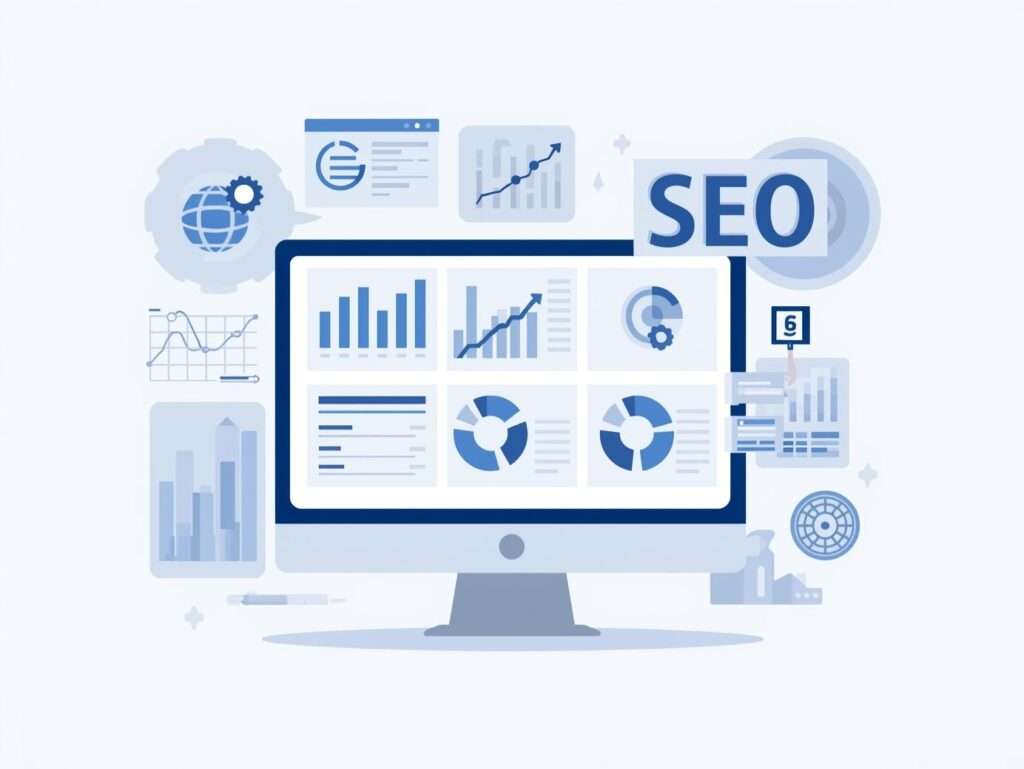
Tracking your search rankings (keyword positions) is crucial to gauge performance. Rank tracking tools automatically check where your site appears for selected keywords each day or week. This saves you from manual Google checks and keeps you updated on swings due to algorithm changes. A recent comparison of rank trackers highlights a wide range of options. Some top rank tracking tools in 2025 include Semrush, Ahrefs, AccuRanker, SE Ranking, Mangools, and more.
Key rank tracking options:
Semrush Position Tracking (Paid): Part of Semrush’s suite; tracks unlimited keywords by plan, offers geo-specific results and daily updates. Good overall functionality.
Ahrefs Rank Tracker (Paid): Included in Ahrefs; tracks daily movements across Google, with alerts. Known for reliability.
AccuRanker (Paid): A dedicated rank tracker praised for “precise and reliable tracking”. It allows on-demand updates (not just daily) and delivers accurate data, making it a pro choice for agencies.
SE Ranking (Paid): Affordable all-in-one with strong rank tracking. Noted for its agency features like white-label reports and team collaboration.
Mangools SERPWatcher (Paid): A simpler interface, suitable for small teams. Tracks daily positions for a moderate number of keywords.
Nightwatch, Advanced Web Ranking, Rank Tracker (by Link-Assistant): Other specialized trackers offering various strengths (local SEO, white-label reporting, etc.).
In practice, large agencies often combine an all-in-one SEO platform (with built-in rank tracking) with a dedicated tracker for precision. For example, SEMrush or Ahrefs can handle small to medium portfolios, while AccuRanker is trusted for large scale, data-hungry campaigns. Beginner projects can even get by with Google Search Console alone for ranking glimpses (though it only shows average positions and misses many keywords).
Rank trackers may be less flashy, but they’re must-have for monitoring SEO ROI. They let you see which keywords move up or down over time and correlate changes with your optimizations or Google updates. As one review notes, the best rank trackers include every ingredient (ranking data, history, reports), so you can see daily or weekly SERP shifts.

Rank Tracking Software
Tracking your search rankings (keyword positions) is crucial to gauge performance. Rank tracking tools automatically check where your site appears for selected keywords each day or week. This saves you from manual Google checks and keeps you updated on swings due to algorithm changes. A recent comparison of rank trackers highlights a wide range of options. Some top rank tracking tools in 2025 include Semrush, Ahrefs, AccuRanker, SE Ranking, Mangools, and more.
Key rank tracking options:
Semrush Position Tracking (Paid): Part of Semrush’s suite; tracks unlimited keywords by plan, offers geo-specific results and daily updates. Good overall functionality.
Ahrefs Rank Tracker (Paid): Included in Ahrefs; tracks daily movements across Google, with alerts. Known for reliability.
AccuRanker (Paid): A dedicated rank tracker praised for “precise and reliable tracking”. It allows on-demand updates (not just daily) and delivers accurate data, making it a pro choice for agencies.
SE Ranking (Paid): Affordable all-in-one with strong rank tracking. Noted for its agency features like white-label reports and team collaboration.
Mangools SERPWatcher (Paid): A simpler interface, suitable for small teams. Tracks daily positions for a moderate number of keywords.
Nightwatch, Advanced Web Ranking, Rank Tracker (by Link-Assistant): Other specialized trackers offering various strengths (local SEO, white-label reporting, etc.).
In practice, large agencies often combine an all-in-one SEO platform (with built-in rank tracking) with a dedicated tracker for precision. For example, SEMrush or Ahrefs can handle small to medium portfolios, while AccuRanker is trusted for large scale, data-hungry campaigns. Beginner projects can even get by with Google Search Console alone for ranking glimpses (though it only shows average positions and misses many keywords).
Rank trackers may be less flashy, but they’re must-have for monitoring SEO ROI. They let you see which keywords move up or down over time and correlate changes with your optimizations or Google updates. As one review notes, the best rank trackers include every ingredient (ranking data, history, reports), so you can see daily or weekly SERP shifts.
Choosing the Right SEO Tools for You
With so many tools available, how do you pick the best ones for your team? Here are some guidelines:
Match Tools to Skill Level: Beginners and small businesses often start with user-friendly (and free) tools. For example, Frase ($15/mo) suggests content improvements, AnswerThePublic is free for keyword ideas, and SEOquake is a one-click audit tool. These tools ease newcomers into SEO. On the other hand, experienced SEOs and agencies lean on powerful suites like Ahrefs, SEMrush, or Moz Pro, which cover everything from keyword research to technical audits in one place.
Consider Agency Features: If you’re an agency or growing team, look for collaboration and reporting features. Tools like SE Ranking (mentioned as “for agencies”) offer white-label reports and team accounts. Choose tools that allow multiple users, client dashboards, and automated reporting if needed.
Budget vs. Value: Free tools can solve many SEO tasks, but paid tools provide depth and convenience. For serious work, investing in one or two paid tools (even just for a couple of key tasks) is often worthwhile. For instance, pairing Google’s free tools with a single paid tool (like Ahrefs or Semrush) covers all bases.
All-in-One vs. Specialized: All-in-one platforms (SEMrush, Ahrefs, etc.) do a bit of everything. They save you from juggling multiple subscriptions. But sometimes specialized tools (like Screaming Frog for crawling or PageSpeed for speed) do their niche better. Assess whether you need a jack-of-all-trades or specific point solutions.
Positive and Negative Keywords Management: Good keyword tools allow you to maintain “positive” (target) and “negative” (excluded) keyword lists. Use this to refine your PPC and SEO campaigns. For example, Google’s tools let you upload negative keywords so you don’t pay for irrelevant clicks. This kind of precision can improve your ROI.
Stay Updated: The SEO tool space evolves with AI and new features. Keep an eye on emerging tools (like AI-powered optimizers) but validate them with trials or demos. As tools update for 2026, make sure they still meet your needs (and check reviews or the vendor’s update log).
In summary, there is no one-size-fits-all “best” tool. Agencies often use multiple subscriptions, while small teams leverage free options. Whichever you choose, focus on your priorities: depth of data (for detailed audits), ease of use (for quick learning), and unique features (like on-page AI suggestions or local SEO audits). Combining qualitative knowledge (like using power words “ultimate”, “best-in-class”, “comprehensive”) with hard data from these tools will help your content rank and resonate.
Conclusion
In 2026, savvy marketers must harness a mix of powerful SEO marketing tools. From keyword research and technical audits to backlink monitoring and rank tracking, the right tools streamline your strategy. Use free tools (Google Search Console, Analytics, Trends, etc.) to cover the basics, and complement them with paid solutions (Ahrefs, SEMrush, or specialized apps) for deeper insights. Pay attention to both positive keywords (your targets) and negative keywords (to exclude) when planning campaigns.
By choosing tools that fit your team’s needs and budget, you’ll create an efficient SEO toolkit. Agencies can lean on enterprise-level software, while beginners start with user-friendly apps. Remember, SEO is a continuous game: regularly audit your site, track your rankings, and adapt your keyword strategy. With the ultimate SEO marketing tools of 2026 at your fingertips, you’ll be well-equipped to boost visibility and drive growth for your clients or business.